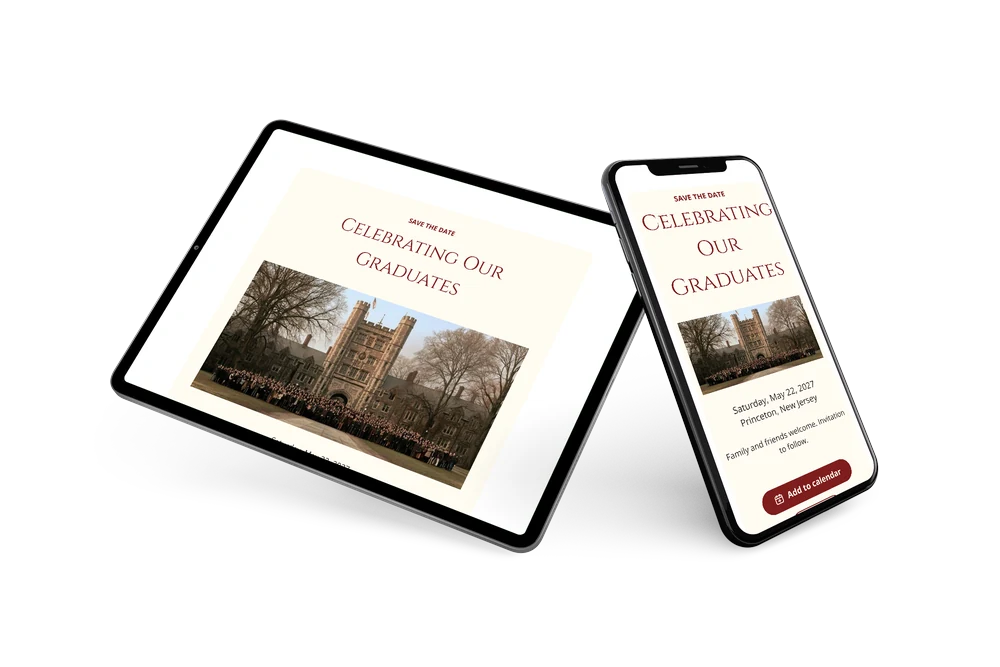
A bright, celebratory save the date
A digital save the date is a small page you send by link so guests can reserve the date of a celebration before the invitation is ready. This version is made for commencement: a campus scene with graduates in front of a historic stone building on top, then a crimson ’SAVE THE DATE’, the name of the event in classic capitals and the date and place underneath. It feels festive, but still fitting for a school or family occasion.
It works for a backyard party after the ceremony, a dinner for the graduate or a reception organized by a school. Guests can put the date straight into their calendar and give an early answer, so you know how much food to plan. If the time or place changes, you update the card and everyone sees it on the same link. Closer to the day, a full invitation with the program can follow in the same crimson style. Read how replies are collected with online RSVP.
Create your own online save the date
Use this design as a starting point and create a fitting save the date within minutes.
Frequently asked questions
Can I send this today?
Yes. Fill in the name of the celebration, the date and the town, look at the preview and share the link.
Which options do guests have?
Guests can add the date to their calendar and reply through RSVP. You keep track of all replies in your dashboard.
Is the crimson text easy to read?
Yes. The deep red is used for the heading and the name, which are set large. The date and place are in a dark, plain font on a light cream card, so they stay clear on small screens.
Can I edit the card after sending it?
Yes. Changes show up on the same link, so everyone sees the latest version. You can also swap the campus photo and change the colors and heading. Try it with a free save the date.
What does the full invitation cost?
The save the date itself is free. For a full invitation with more features, see the pricing for the full invitation.
Design details: fonts and colors
Fonts
- Header 1 — Open Sans
- Header 2 — Cinzel
- Text — Open Sans
Colors
- #7F1D1D — Header 1
- #7F1D1D — Header 2
- #2E2020 — Text
- #FFFCF2 — Card
- #FFFFFF — Background
Use this design
Copy this design to your dashboard to use it as a starting point.