The image everyone understands at a glance
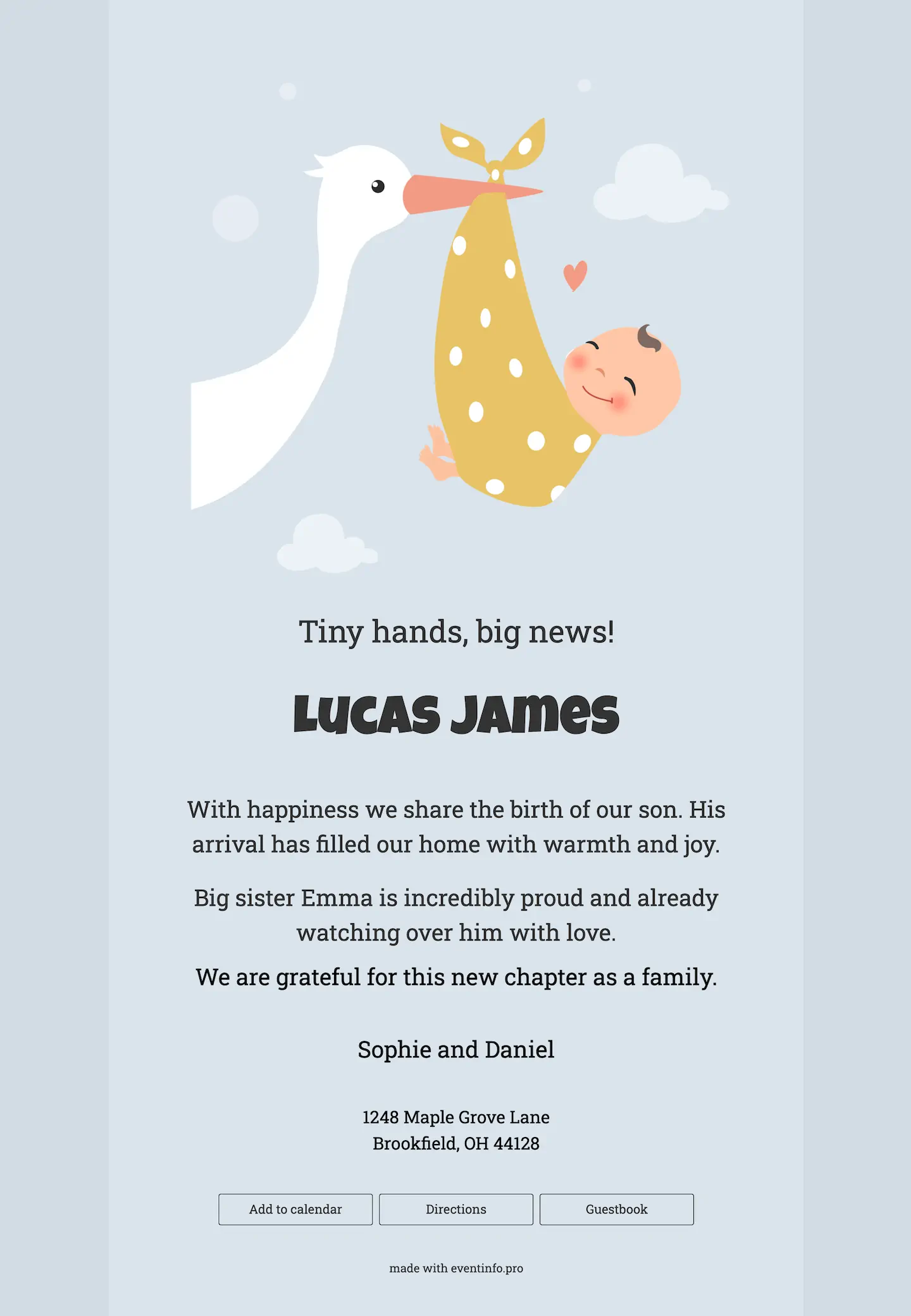
This online birth card leans on the oldest birth image there is: a stork, with the baby swaddled in a yellow spotted bundle hanging from its beak. Nobody needs to read a line to know what happened. The illustration is soft and a little funny, with a few clouds and a small heart around it. A pale, powdery blue fills the background and keeps the mood calm. The name gets a thick, rounded letter with some cheek to it, while the message below stays in a quiet, easy-to-read type.
Family and friends leave their congratulations in the guestbook, so the kind words end up in one place instead of spread across your phone. And because it is a link, you can forward it by WhatsApp or email to the neighbours, the grandparents’ friends and the colleague who only just heard. Want something different? Browse the other online birth cards.
Create your own online birth card
Use this design as a starting point and create a fitting birth card within minutes.
Frequently asked questions
How quickly can it go out?
Ten minutes. You add the name, the date, the weight and a photograph, and the rest is already arranged. The layout needs nothing.
What can the recipients do?
They leave a message of congratulation, look at the photographs and read when you would like visitors. The messages collect in one place instead of arriving across four different apps.
Is the stork not a little old-fashioned?
It is familiar rather than dated, which is exactly why it still works. For a card that goes to four generations at once, an image everybody recognises does more good than a clever one.
Can we change the design?
Colours, typefaces, photographs and all wording are adjustable. The portfolio shows the modern alternatives.
How does the cost compare with printing?
There is no print run and no postage. In practice the bigger saving is time, because nothing has to be reprinted when a detail changes.
Design details: fonts and colors
Fonts
- Header 1 — Roboto Slab
- Header 2 — Luckiest Guy
- Text — Roboto Slab
Colors
- #333333 — Header 1
- #333333 — Header 2
- #000000 — Text
- #dae4ec — Card
- #d2dce4 — Background
Use this design
Copy this design to your dashboard to use it as a starting point.
All example invitations are fictional. Photos of people are AI-generated; illustrations are licensed or AI-generated.