A striking, nostalgic send-off
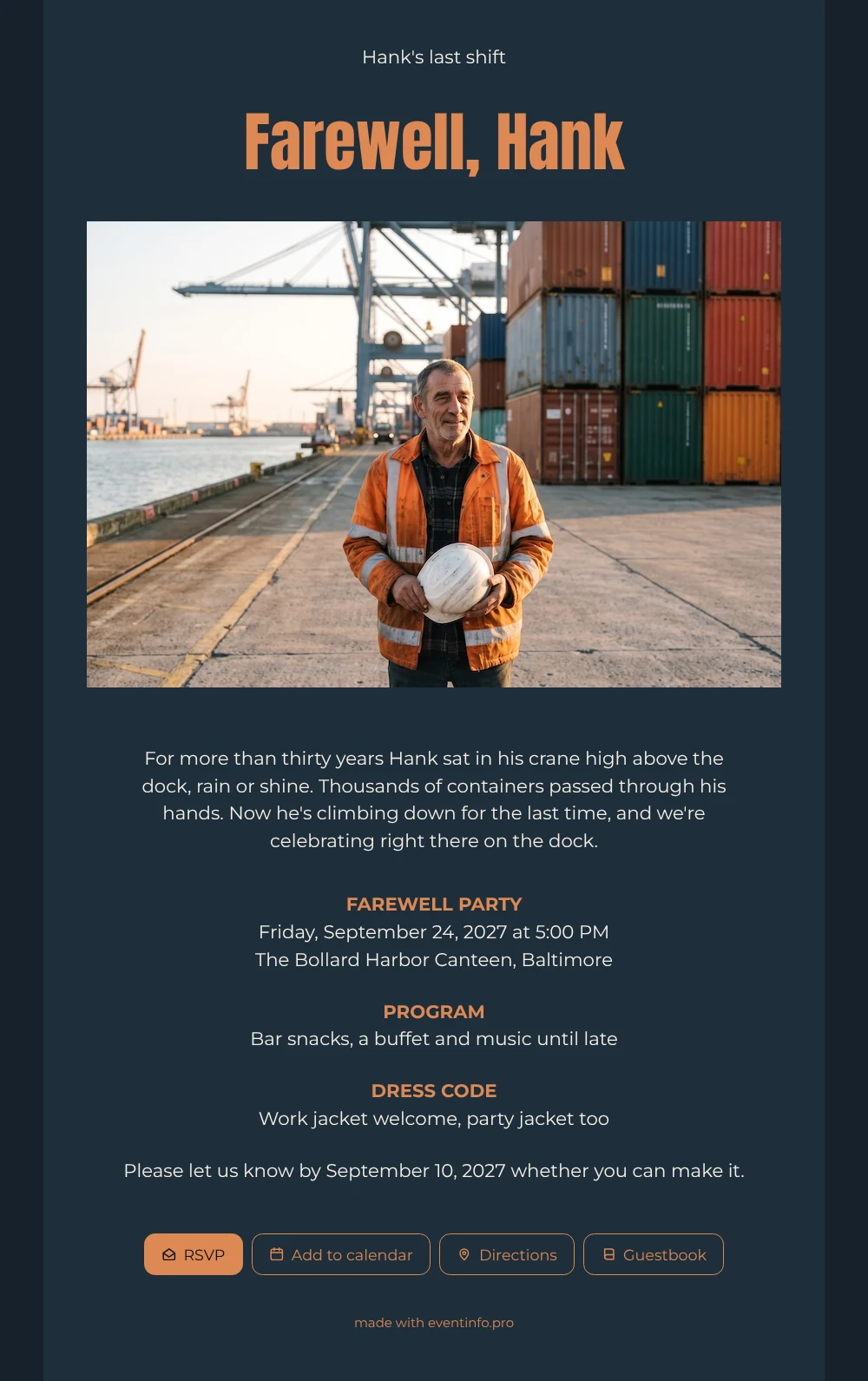
What is an online retirement party invitation? A page that each guest opens from a link, with the details of the party, a reply button and room for a personal message. After the opening line and the big name, a wide photo of a crane operator on the quay fills the width of the card, and underneath, light text on a steel blue background tells how he climbs down for the last time. Copper orange headings mark the party, the program and the dress code.
Guests who worked alongside him for years will want to be there and to say something. They add the date to their calendar with one tap, so the evening does not get lost between shifts, and in the guestbook they write the memories they never said out loud: the storms, the jokes on the radio, the first container of the morning.
Create your own online farewell invitation
Use this design as a starting point and create a fitting farewell invitation within minutes.
Frequently asked questions
How soon can the invitation go out?
As soon as you have filled in the name, date and venue, which takes a few minutes. Share the link by WhatsApp, email, text message or social media, or print a QR code for the canteen.
What can invited guests do on the page?
Reply with the RSVP button, open the route to the venue, save the date in their calendar and write a message in the guestbook. You follow all replies in your dashboard.
Who is this dark harbor design for?
For a crane operator, docker, ship pilot or anyone who spent decades at sea or on the quay. It also works for a colleague who leaves for another port. With your own photo, it becomes a farewell for any trade.
Can I change the photo and colors?
Yes. Upload a photo of your own colleague and adjust the colors or the text in the editor. This guide shows how to customize a ready-made design without starting from scratch.
Can guests read each other’s messages?
The guestbook is part of the invitation page, so guests can read what others wrote. Many colleagues find that the best part: the messages together form a small tribute.
Design details: fonts and colors
Fonts
- Header 1 — Montserrat
- Header 2 — Anton
- Text — Montserrat
Colors
- #F4EFE6 — Header 1
- #DD8853 — Header 2
- #F4EFE6 — Text
- #1F2E3A — Card
- #17222C — Background
Use this design
Copy this design to your dashboard to use it as a starting point.
All example invitations are fictional. Photos of people are AI-generated; illustrations are licensed or AI-generated.