A serene, caring gathering
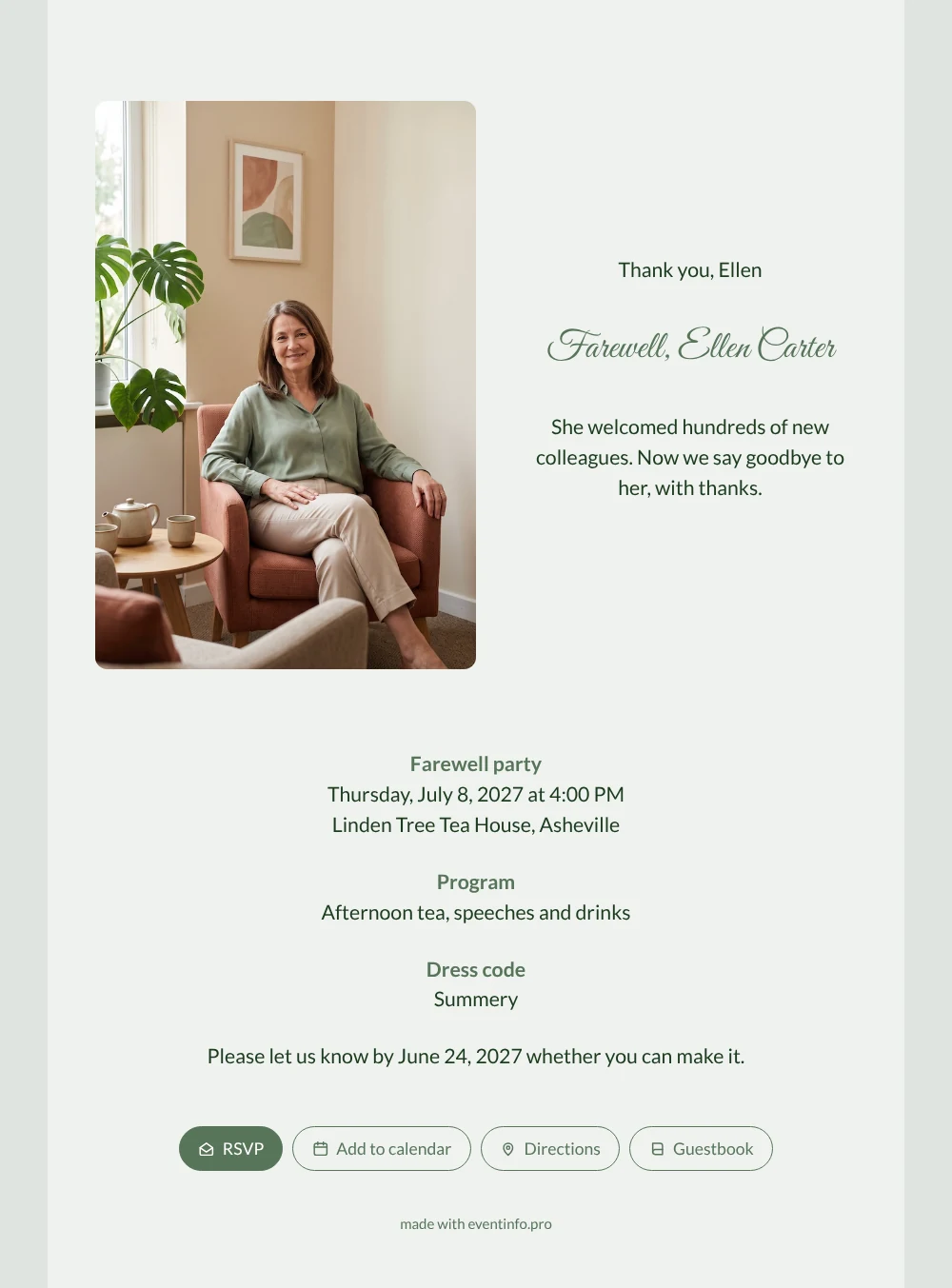
With an online retirement party invitation, every guest gets the same link and finds date, venue and reply button in one place, whether they joined last month or met her at their job interview twenty years ago. They will recognize her at once: brown hair, sage green blouse, a calm smile in a rust armchair beside a teapot and a big green plant. The light sage card with a flowing script heading and the line about hundreds of new colleagues invite everyone to come and say thank you.
Colleagues from every department, former employees and the family can all be invited. They reply, open the directions to the tea house and add the afternoon to their calendar. In the guestbook they write about their first day, the talk that helped them through a hard time or the welcome that made them stay, a lovely keepsake she can read afterwards.
Create your own online farewell invitation
Use this design as a starting point and create a fitting farewell invitation within minutes.
Frequently asked questions
Can I still invite people a week in advance?
Yes. The invitation is ready in a few minutes and guests receive it immediately, so even a late invitation arrives in time. You can change the reply date whenever you want.
How do guests share their memories?
Through the guestbook on the invitation page. They write a thank-you, a memory or a wish for the future, which you can read out during the speeches. From the same page they reply, check the route and save the date.
Is there also a darker version of this design?
Yes, the same photo exists on a dark olive card with light text and the portrait on the right. In this light sage version the tall photo stands on the left next to the text, with the practical details below it across the full width. It is softer and fresher, which suits a summery afternoon tea in a garden or tea house.
Can I adjust the program and dress code?
Yes. You can change afternoon tea, speeches and drinks, the summery dress code and the reply date, and add details such as parking or a group gift.
How do I share the link with everyone?
Send it by WhatsApp, email or text message, post it on the intranet or print a QR code for the staff room.
Design details: fonts and colors
Fonts
- Header 1 — Lato
- Header 2 — Great Vibes
- Text — Lato
Colors
- #1C3B1E — Header 1
- #58755A — Header 2
- #1C3B1E — Text
- #EFF2EF — Card
- #DEE4DF — Background
Use this design
Copy this design to your dashboard to use it as a starting point.
All example invitations are fictional. Photos of people are AI-generated; illustrations are licensed or AI-generated.