A gentle, elegant send-off
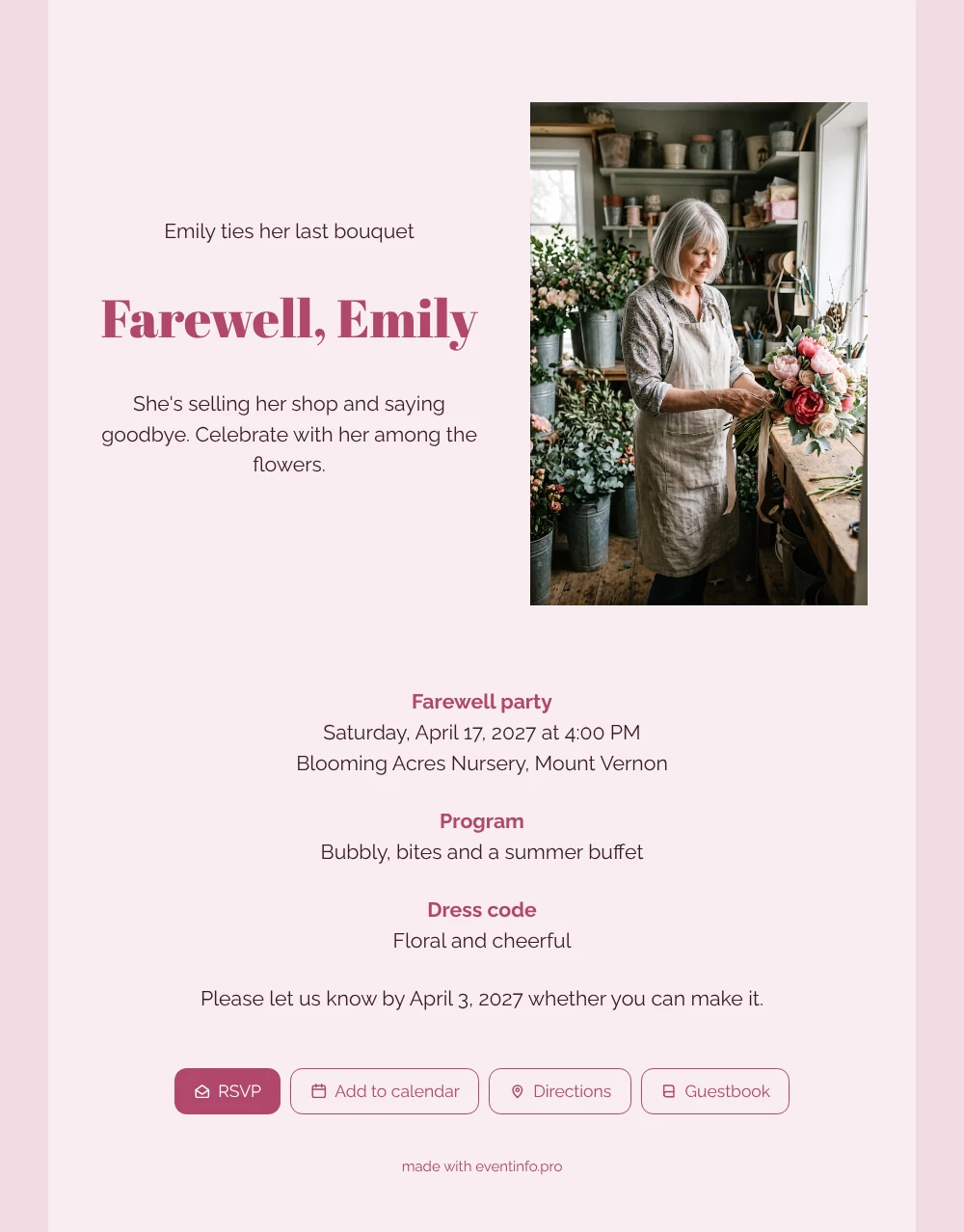
What does an online farewell party invitation do? It gives every guest the same link to a page with the time, the place, a reply button and room for a message. Here the photo of a smiling florist with a peony bouquet sits beside a short text on a soft pink card, followed by three blocks in raspberry: the farewell party at a nursery, a program with bubbly, bites and a summer buffet, and a floral, cheerful dress code.
For regular customers, the florist was part of every big moment: weddings, births, a bouquet to say sorry. In the online guestbook they write those memories down, and the shop owner keeps them long after the last bouquet. Guests also add the date to their calendar with one tap, and you can remind guests who forget to reply.
Create your own online farewell invitation
Use this design as a starting point and create a fitting farewell invitation within minutes.
Frequently asked questions
How soon can the invitation go out?
As soon as the name, date and venue are filled in, which takes a few minutes. Share the link by WhatsApp, email, text message or social media, or put a QR code next to the till.
Can guests reply and find the venue?
Yes. They use the RSVP button, open the route to the nursery on the map and save the afternoon in their calendar. You see in your dashboard who is coming.
Who else is this pink design suitable for?
Anyone who worked with flowers or plants, such as a gardener, a nursery owner or a market seller, but also a hairdresser or a boutique owner closing the doors. Upload your own photo and the card becomes theirs.
Can I change the photo and text?
Yes. Everything on the card can be changed in the editor: the photo, the text, the colors and the blocks. You can edit after sharing too, and guests always see the latest version.
Can the farewell stay a surprise?
Yes. Share the link only with the guests, not with the florist. The guestbook messages then become a lovely surprise on the day itself.
Design details: fonts and colors
Fonts
- Header 1 — Raleway
- Header 2 — Abril Fatface
- Text — Raleway
Colors
- #3B1C26 — Header 1
- #B1476A — Header 2
- #3B1C26 — Text
- #F8EDF0 — Card
- #F1DBE2 — Background
Use this design
Copy this design to your dashboard to use it as a starting point.
All example invitations are fictional. Photos of people are AI-generated; illustrations are licensed or AI-generated.