A formal, warm-toned gala invitation
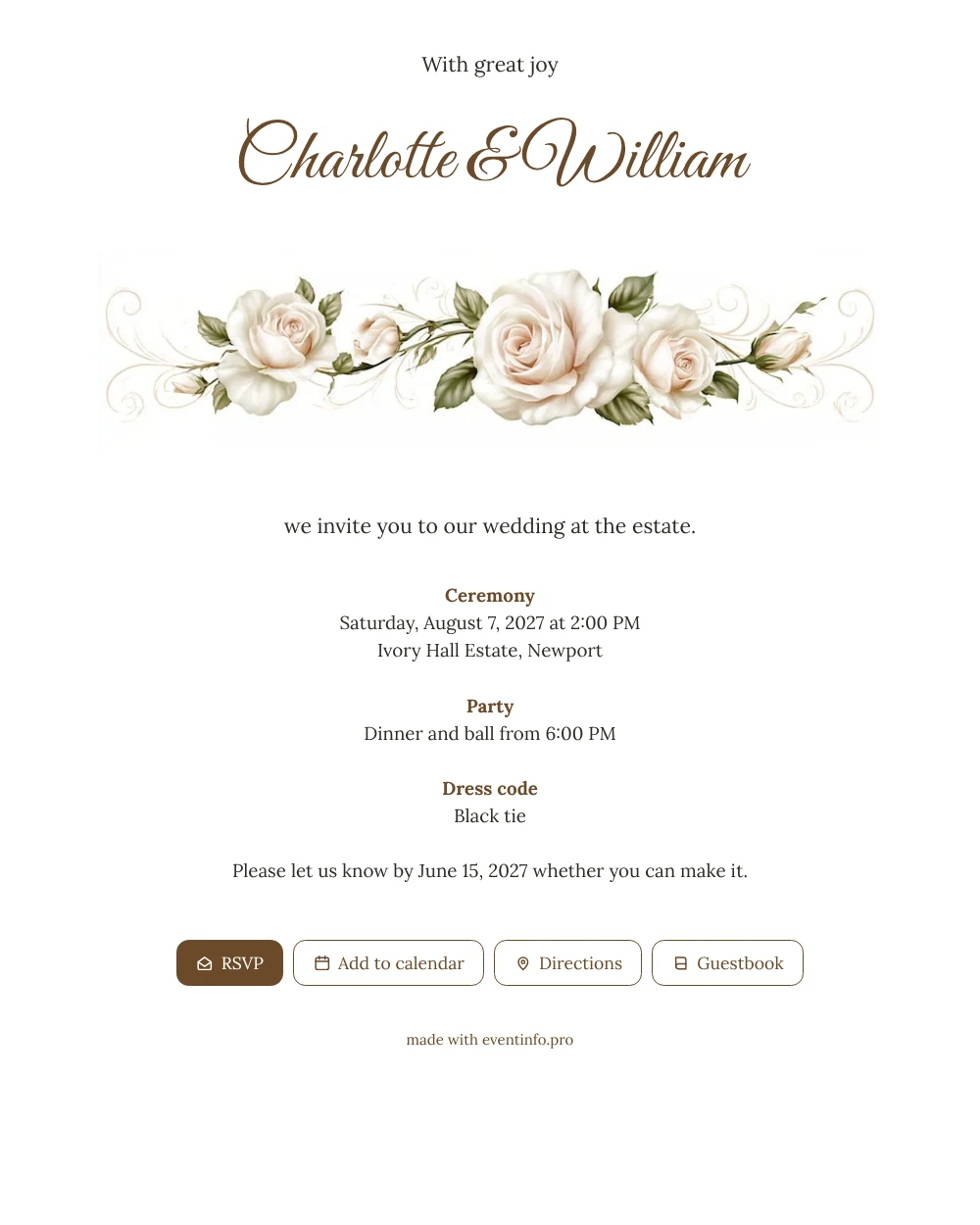
For your guests, an online wedding invitation is a link that opens everything they need to know about your wedding, from the start of the ceremony to the dress code, right on their phone. With this design they first meet your names in flowing script, then a soft band of ivory roses and golden swirls, then the details on a clean white card. The warm brown text and the gentle colours make it easy on the eye, so it works for every generation at a large family wedding.
What guests value most is convenience. They reply in seconds, add the wedding to their calendar and look up the route when they set off. After the celebration they can leave a few warm words in the online guestbook, which turns into a lovely memento of the day.
Create your own online wedding invitation
Use this design as a starting point and create a fitting wedding invitation within minutes.
Frequently asked questions
How soon can guests receive it?
As soon as you have entered your details, which usually takes about ten minutes. You share the link straight away and can still polish small things later, because the link stays the same.
Do guests need to install anything?
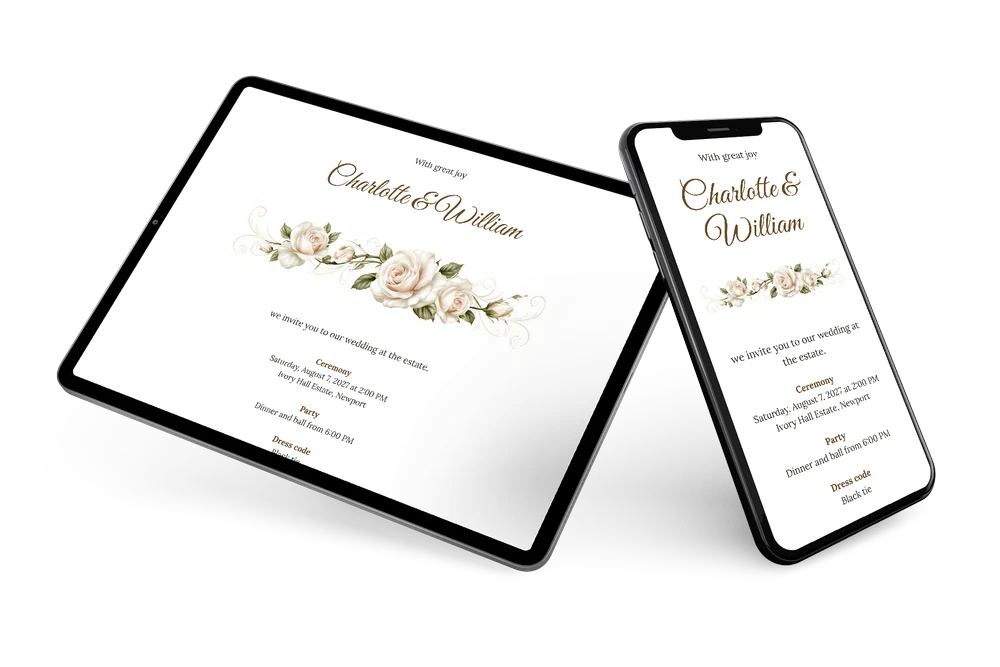
No. They open the link in the browser on their phone, reply with the RSVP button, view the route and save the date. Writing in the guestbook works the same way, without an account.
Is the rose border still clear on a small screen?
Yes. The roses stretch across the full width of the card, directly beneath the names, so they stay large and recognisable. The white background behind the text keeps every line readable.
What if some guests don’t reply in time?
Your dashboard shows who has answered and who hasn’t. You can remind guests who haven’t responded in one go, which saves you a round of phone calls before the reply date.
Can I change details after sending?
Yes. If the time of the ball or the venue changes, you edit it in the editor and guests see the update on the same link. There is no need to send a new card.
Design details: fonts and colors
Fonts
- Header 1 — Lora
- Header 2 — Great Vibes
- Text — Lora
Colors
- #2E2A26 — Header 1
- #6B4A2A — Header 2
- #2E2A26 — Text
- #FFFFFE — Card
- #FFFFFF — Background
Use this design
Copy this design to your dashboard to use it as a starting point.
All example invitations are fictional. Photos of people are AI-generated; illustrations are licensed or AI-generated.