A gentle, romantic farewell
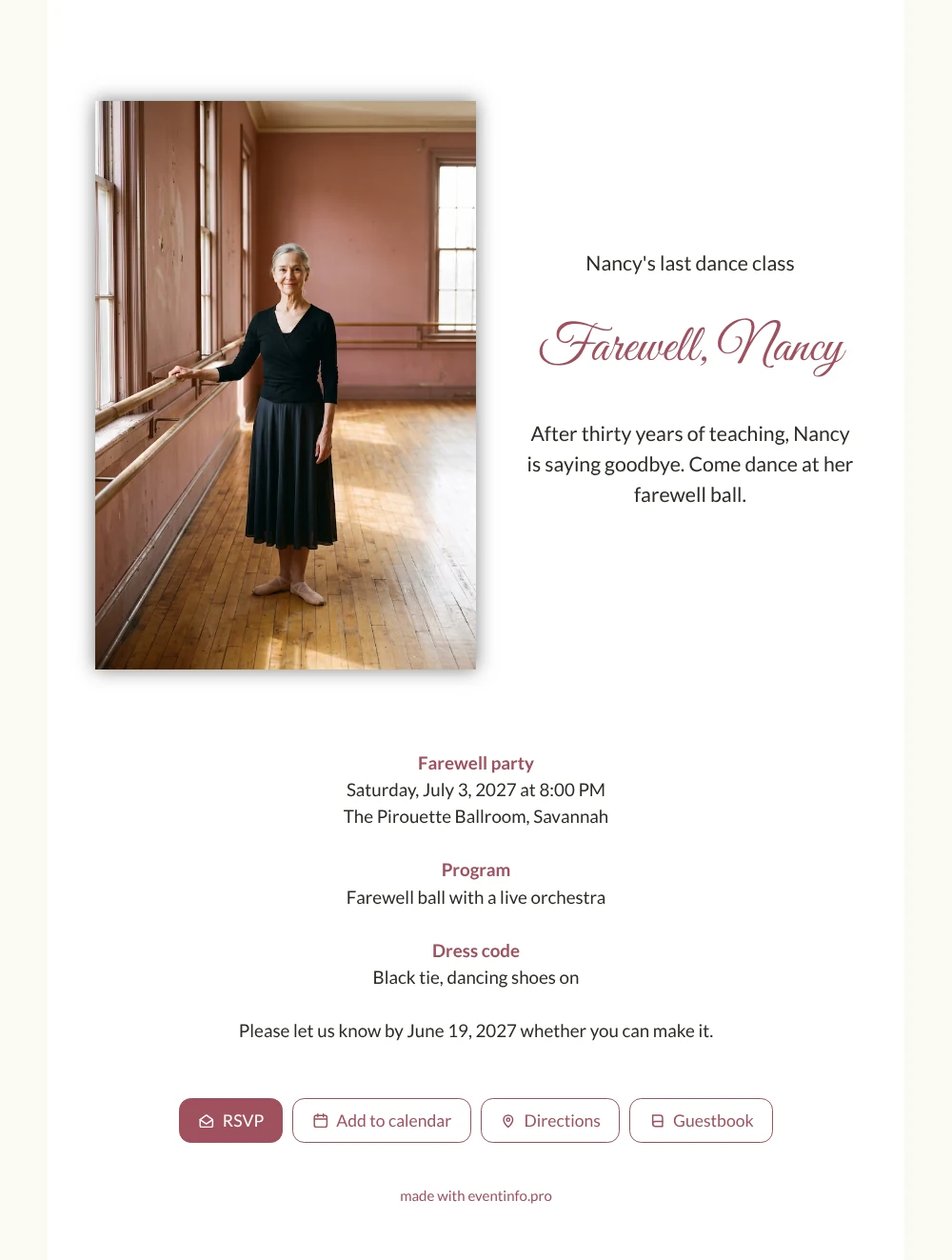
An online farewell invitation is a digital card that guests open on their phone, where they reply, plan their route and leave a message, all from one page. Think of the students who learned their first steps at this barre: this white invitation with a rose heading gives them a chance to come back one more time and dance with the teacher who shaped them.
The photo shows a warm, smiling teacher in her studio, and the sample text promises a ball with a live orchestra. Guests can add the evening to their calendar so they do not miss it. Sharing is easy too: send the link via WhatsApp to the class groups, or by email to former students who moved away.
Create your own online farewell invitation
Use this design as a starting point and create a fitting farewell invitation within minutes.
Frequently asked questions
Can I send it today?
Yes. Fill in the name, date and ballroom, upload your photo and share the link straight away. Late changes are no problem, because the link stays the same.
What do guests do on the page?
They confirm with the RSVP button, open the location, save the date and write in the guestbook. Old students can add a memory of a recital or a strict but kind correction at the barre, which turns the page into a keepsake.
What makes this version different from the pink one?
This card is white with only the heading in rose, so it looks light and airy, with plenty of space around the text. The other version uses a soft pink tint across the whole card and puts the photo to the right of the text instead of the left. Choose white if you want the photo to stand out most.
Can I rewrite the sample text?
Of course. The article on replacing the example text explains how to change the heading, the story and the details. You can also change the colours and use a photo of your own teacher.
Can I remind guests who have not replied?
Yes. In your dashboard you see who has answered and you can send a reminder to the others before the reply date.
Design details: fonts and colors
Fonts
- Header 1 — Lato
- Header 2 — Great Vibes
- Text — Lato
Colors
- #2E2A26 — Header 1
- #A0505E — Header 2
- #2E2A26 — Text
- #FFFFFF — Card
- #FBF9F4 — Background
Use this design
Copy this design to your dashboard to use it as a starting point.
All example invitations are fictional. Photos of people are AI-generated; illustrations are licensed or AI-generated.