How guests add the date to their calendar
Guests tap Add to calendar and the entry is ready, with the date, time, venue and a link to your invitation. The options they get depend on their device.
On a computer
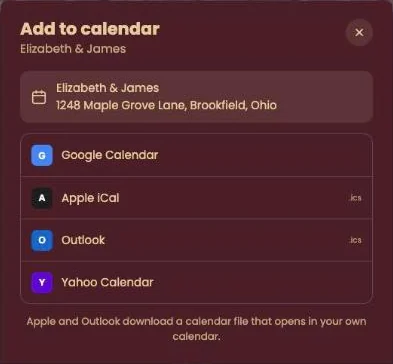
An Add to calendar window opens with the venue name and address and four choices:
- Google Calendar and Yahoo Calendar open in a new tab with the entry filled in. Your guest only has to save it.
- Apple iCal and Outlook download a small calendar file (.ics), which opens in the calendar on that computer.
On an iPhone or iPad
There’s no menu here. The entry opens straight in the device’s Calendar app, where one tap saves it.
On an Android phone
Google Calendar is at the top. Other calendar app is for calendars such as Samsung’s; it opens the calendar file.
No account needed. Guests don’t install anything or sign up anywhere. They simply use their own calendar.
Next step: Date or time changed: what now?
Last updated: October 23, 2026