Date or time changed: what now?
When you change the date or time, the Add to calendar button uses the new details straight away. Entries guests already saved don’t change with it, so let those guests know.
Changing the date or time
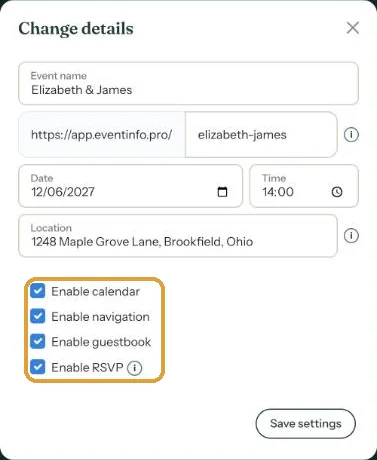
- In your dashboard, open the menu (three dots) and choose Change details.
- Enter the new Date or Time.
- Click Save settings.
Is the date also written in the text of your invitation? That text doesn’t update itself. Change it via Edit webpage.
Guests who already saved the date
A calendar entry is a copy, and Eventinfo.pro can’t update it remotely. Send a short message by email or WhatsApp with the link to your invitation. For example:
“Dinner now starts an hour later, at 7 pm. Already saved the date? Delete that entry and tap Add to calendar on the invitation again.”
How to send that message is explained in Sending an update after a change.
Next step: Time zones for guests abroad
Last updated: October 23, 2026