What guests see when they tap Directions
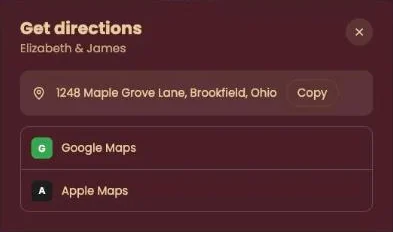
When a guest taps Directions, a window opens with the venue address and two map apps: Google Maps and Apple Maps.
What your guest sees
- The address, with a Copy button next to it. Useful for anyone who prefers another app, such as Waze: copy it and paste it there.
- Google Maps opens a route to the address, in the app or in the browser.
- Apple Maps opens the route in Maps on an iPhone, iPad or Mac.
From there the guest’s own map app takes over, whether they walk, drive or take public transport.
Where the address comes from
The window uses the location from Change details. Change it there and guests see the new address the next time they tap. If the address is wrong, pick the location again from the list; see Entering the right address.
Try it yourself. Open your invitation on your phone and tap Directions. You’ll see exactly where your guests will end up.
Next step: Several venues on one day
Last updated: October 23, 2026