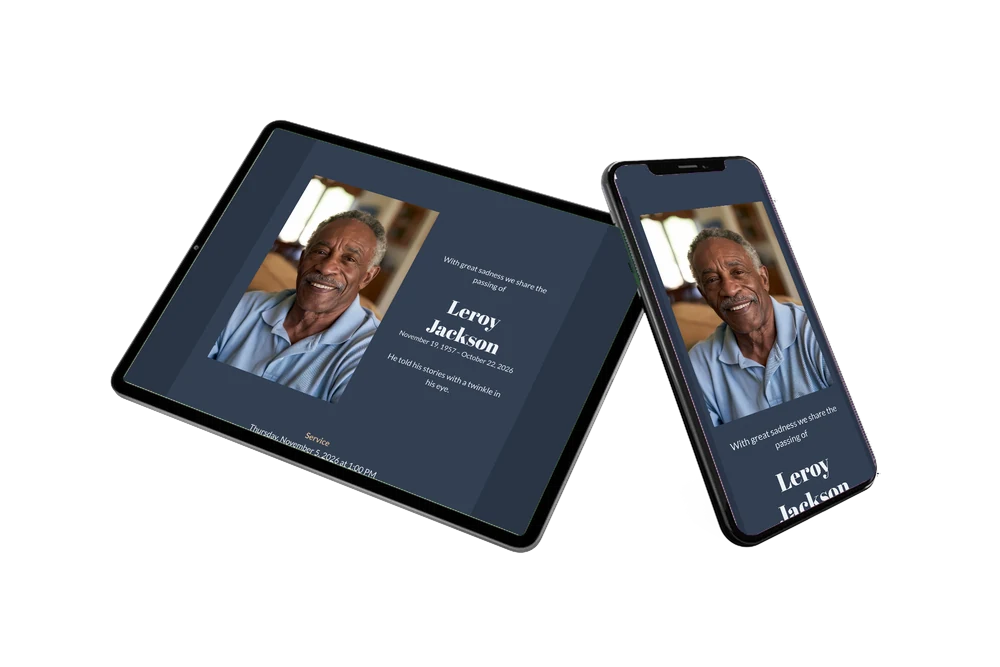
A warm, distinguished memorial card
For family and friends, an online funeral card is the message they open, read and come back to in the days before the farewell. This one opens in deep slate blue, with a smiling portrait and the name in white beside it, so the face and the name are the first things they see.
Below follow the service and the gathering under copper headings. Those who cannot attend can write in the online condolence book.
Create your own online funeral card
Use this design as a starting point and create a fitting funeral card within minutes.
Frequently asked questions
How quickly will everyone have it?
Straight after you share the link. Preparing the card takes a few minutes; then one message to a group chat or an email list reaches many people at once.
Can guests find the venue?
Yes. One tap on the address opens directions to the venue in their maps app, and another button saves the date in their calendar.
Is the light text easy to read on dark blue?
Yes. The white and pale gray letters have strong contrast with the slate blue, and many people find a dark screen restful, especially in the evening. The copper headings lead the eye quickly to the service details.
Can I write the text in my own words?
Of course. Change the opening line, the sentence under the dates, both blocks and the family names. Our guide to replacing the example text shows you where to click.
How do I send it to a large family?
Most families share it through WhatsApp in one or two group chats and send the same link by email to colleagues or neighbors. Anyone can forward it to people you might have missed.
Design details: fonts and colors
Fonts
- Header 1 — Lato
- Header 2 — Abril Fatface
- Text — Lato
Colors
- #E9ECF1 — Header 1
- #EEF1F6 — Header 2
- #E9ECF1 — Text
- #333F52 — Card
- #2A3445 — Background
Use this design
Copy this design to your dashboard to use it as a starting point.

All example invitations are fictional. Photos of people are AI-generated; illustrations are licensed or AI-generated.