Adding the date to your calendar
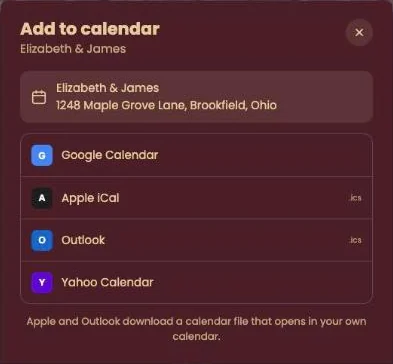
Click Add to calendar at the bottom of the invitation and pick your calendar. Date, time and address are filled in for you, with the invitation link in the notes.
Pick your calendar
- Google Calendar opens with the event ready to save.
- Apple iCal and Outlook download a calendar file (.ics). Open it and your calendar adds the event.
- Yahoo Calendar works the same way as Google.
On your phone
On an iPhone or iPad there’s no menu: your own calendar opens right away, ready to add the event. On Android, Google comes first and the file option is called Other calendar app, for Samsung Calendar and the like.
Does the host change the date or time later? Your calendar won’t update by itself. If in doubt, check the invitation: it always shows the latest details.
Next step: Getting directions to the venue
Last updated: October 23, 2026