See your invitation the way your guests do
Your invitation is online as soon as you save it, even before you pay. So you can look at it calmly and show it to someone.
Opening the preview
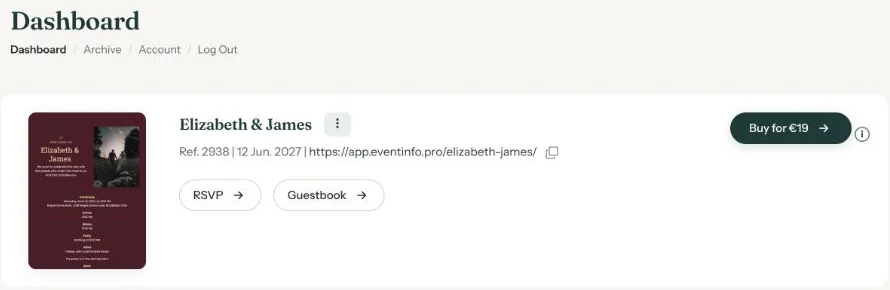
The link to your invitation appears in three places: at the top of the builder, on the All saved screen and on your dashboard. Click the link, or use the copy icon next to it.
The bar at the top
When you’re logged in, you see a white bar marked Preview at the top. It tells you whether your invitation has been activated, with the buttons Activate, Edit and Copy link.
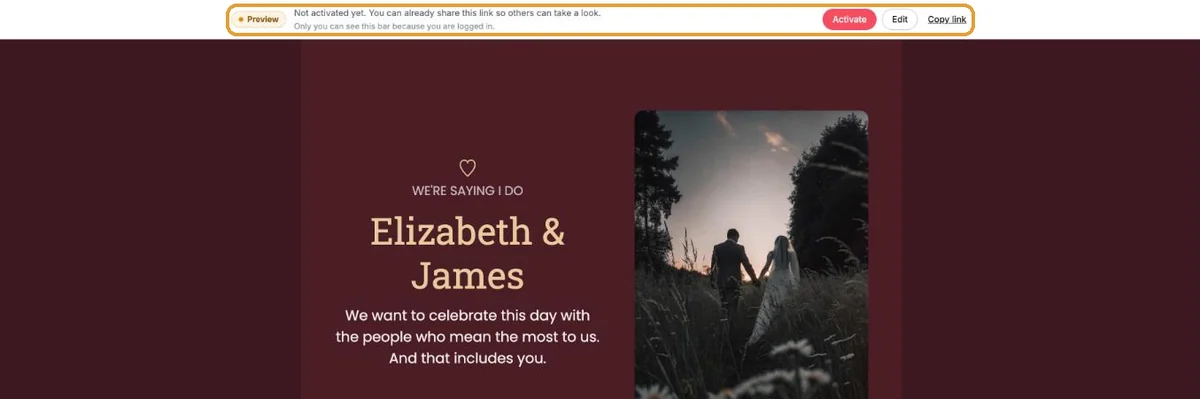
Your guests don’t see that bar. Want to see exactly what they see? Open the link in a private browser window, or on your phone.
Letting someone look before you activate
You can already share the link with someone who may take a look, such as your partner or a friend. Anyone who opens the invitation before you activate it gets a message saying it isn’t final yet. Once you activate, that message disappears.
Ready to share? Carry on with Sending and sharing.
Last updated: October 23, 2026