Create your first invitation
You don’t need any design experience. You start from an example and replace whatever doesn’t fit. You can stop at any point and carry on later: your invitation simply waits on your dashboard.
1. Choose the occasion
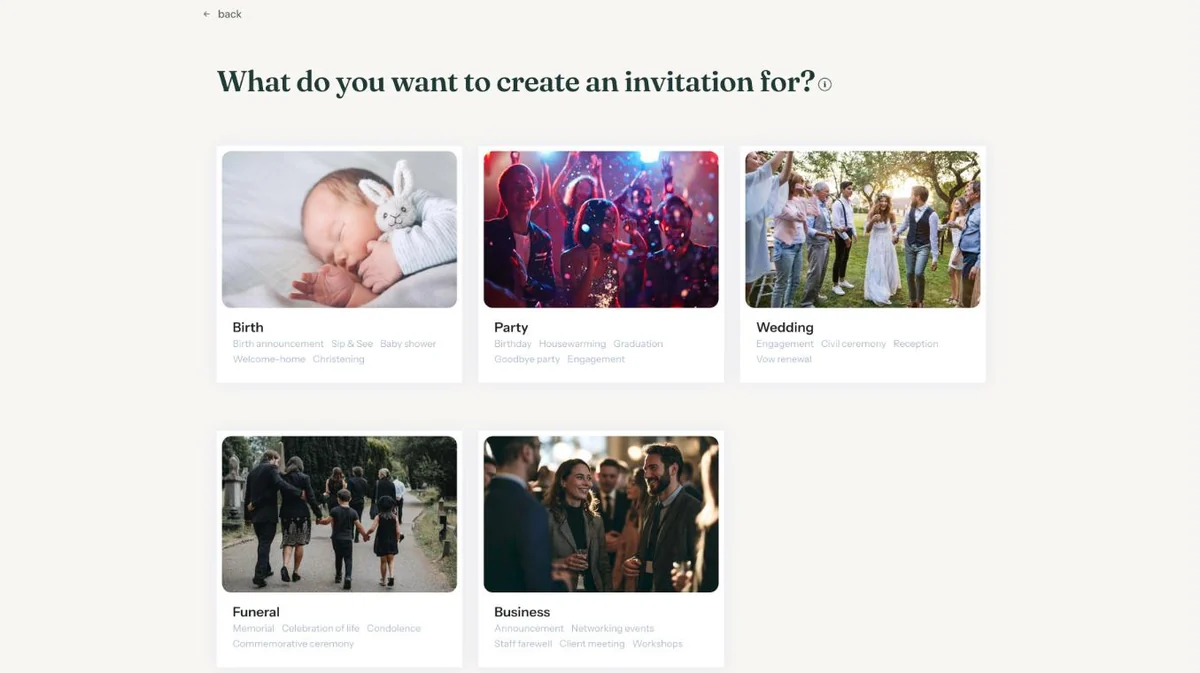
On your dashboard, click Create new invitation. Pick the occasion that fits best. Under each photo you’ll see examples, such as Baby shower or Goodbye party. Not sure? That’s fine: you can change every text later.
2. Choose a design
You now see every design for that occasion. Click the one you like. Prefer a simple starting point that you fill in yourself? Choose Start (almost) from scratch, the first tile with the plus sign.
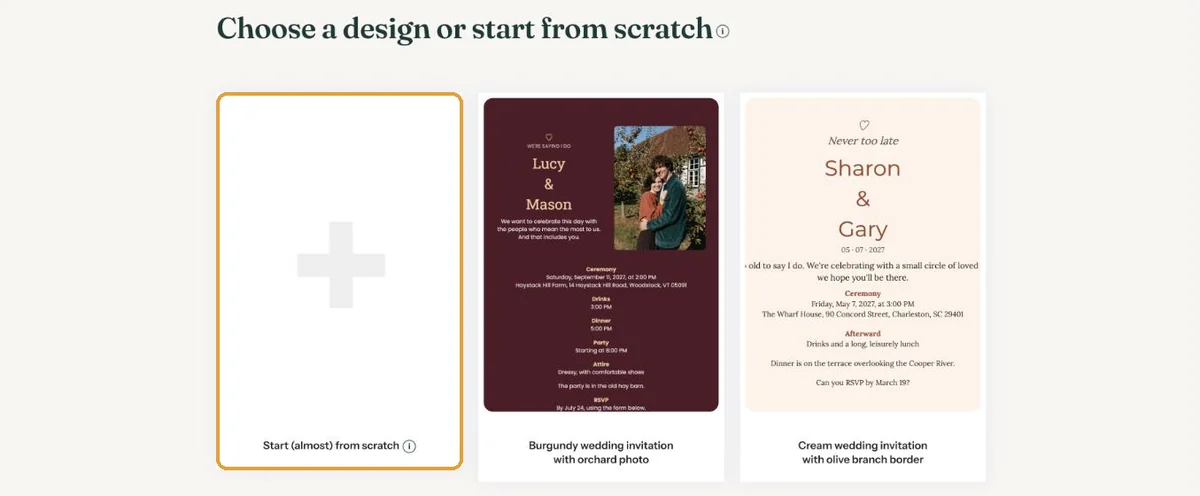
The difference is explained in Ready-made design or start from scratch?.
3. Fill in the details
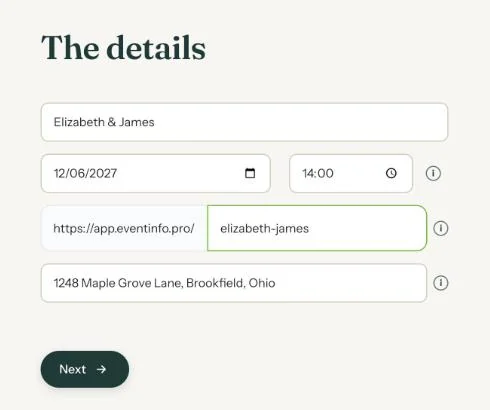
Enter the name (for a wedding, the couple’s names), the date, the time and the location. The web address of your invitation is suggested from the name. You can change it: use letters, numbers and hyphens.
4. Finish the design
You are now in the builder. Name, date and time are already on the card, but part of the sample text still belongs to the design. That is why you see the message Read the text carefully at the top.
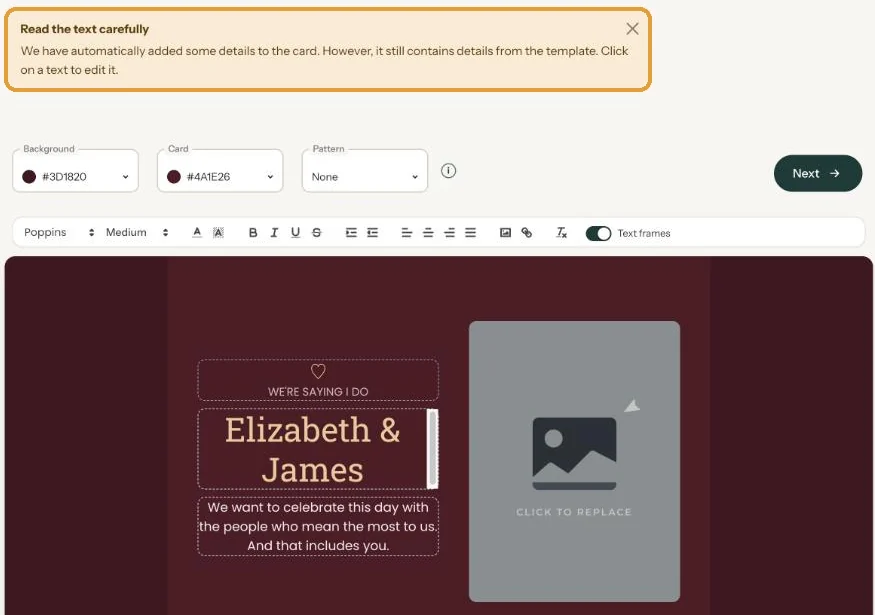
- Click a text to change it.
- Click the sample photo to put in your own.
- Colours and pattern are in the bar above the card.
5. Save and share
Click Next. Eventinfo.pro then creates images for social media and apps like WhatsApp, which takes a few seconds. After that you see All saved, with the link to your invitation.
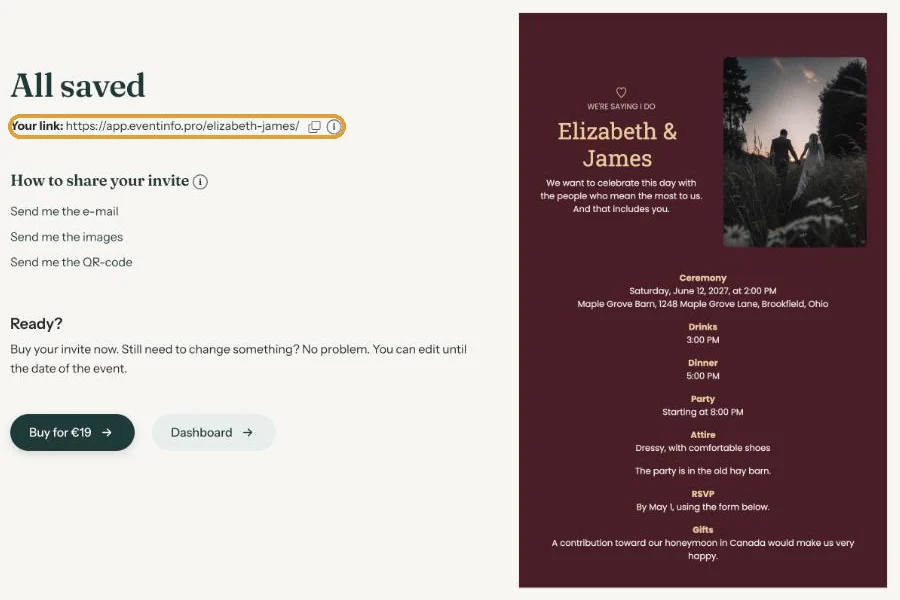
You can buy and activate now, or take your time and look first. Changes are possible until the date of the event.
Next step: See your invitation the way your guests do
Last updated: October 23, 2026