Can I use a background image?
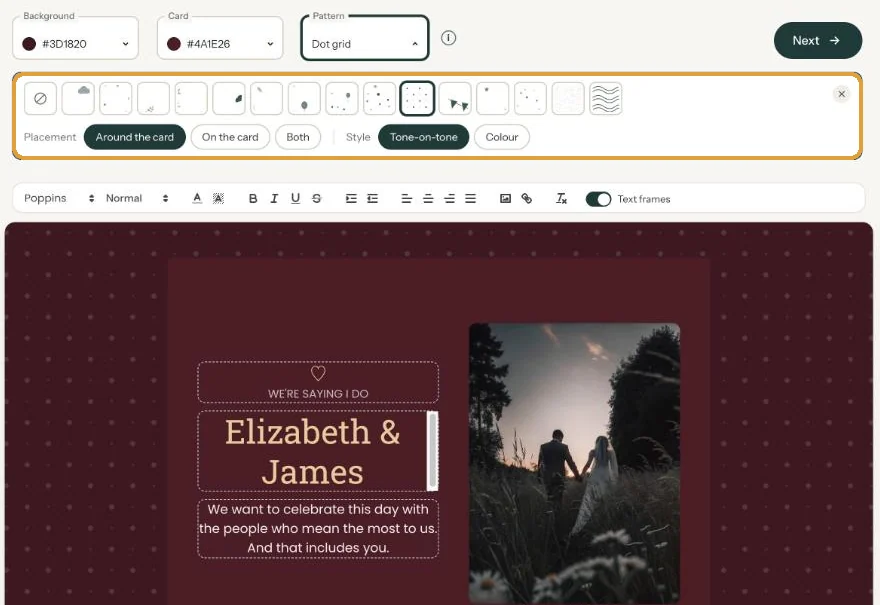
Putting your own image behind the whole invitation isn’t possible. You can choose a background colour, though, and a pattern if you like.
Choosing a colour
Above the card there are two colour fields. Background is the area around your card, Card the colour behind your text. How the colour picker works is explained in Choosing the background and card colour.
Adding a pattern
Next to the colour fields, click Pattern. There are fifteen light patterns, from Clouds and Eucalyptus to Balloons, Stars and Handmade paper. Then choose:
- Placement: Around the card, On the card (softer there) or Both.
- Style: Tone-on-tone, in a shade of your own colour, or Colour.
Choose None to remove the pattern again.
For a funeral card, a quiet tone-on-tone pattern often works better than a striking colour. More about patterns in Adding a pattern.
Happy with your design? Carry on with Activation and payment.
Last updated: October 23, 2026