Close the RSVP
Reply-by date gone, or the venue full? Close the RSVP. The RSVP button disappears from your invitation, and every reply you’ve had stays put.
How to close it
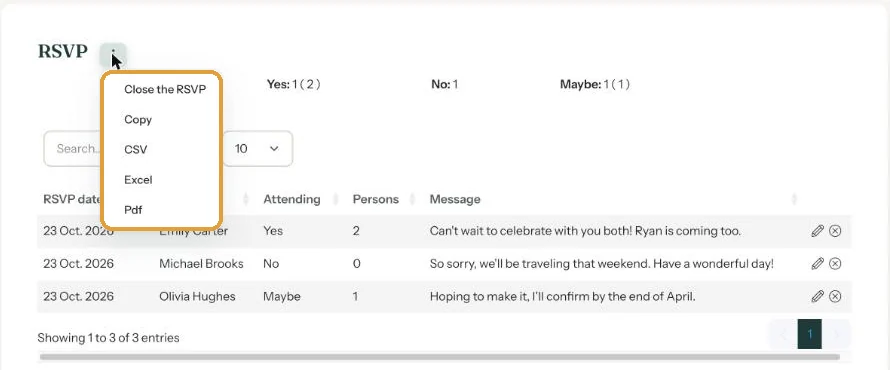
- In your dashboard, open the RSVP page of your invitation.
- Click the menu (the three dots) next to the RSVP heading.
- Choose Close the RSVP.
What changes
- Guests no longer see the RSVP button. Your other buttons stay as they are.
- In the list of all your invitations, the RSVP shows as Closed.
- You can still view and download the list, and edit replies too.
Opening it again
Choose Open the RSVP in the same menu. Only one late cancellation by text or phone? No need to reopen anything. Just edit the reply yourself (Edit or delete an RSVP).
Change details reopens the RSVP. If you later click Save settings there while Enable RSVP is ticked, the RSVP is open again. Close it once more if so.
Next step: Set a reply-by date
Last updated: October 23, 2026