Download your guest list
Two clicks and the list of replies is on your computer, as an Excel file, a CSV or a PDF.
How to download
- In your dashboard, open the RSVP page of your invitation.
- Click the menu (the three dots) next to the RSVP heading.
- Choose Excel, CSV or Pdf.
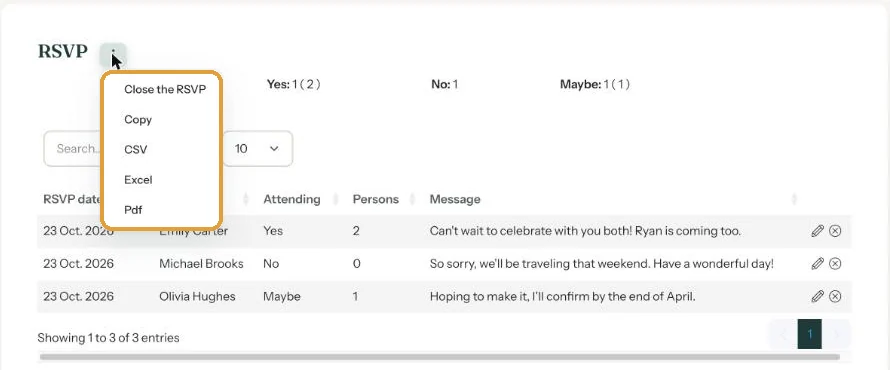
The file is named after your invitation and today’s date, for example RSVP-elizabeth_and_james-20261022. It contains the same columns you see on screen.
Which one?
- Excel for the seating plan or a list for the caterer.
- CSV if you want to import the data into another program.
- Pdf for printing. It works on a computer, not on a phone.
- Copy puts the list on your clipboard, ready to paste into an email or document.
Clear the search box first. If a search term is still there, only the matching rows end up in your download.
Replies stay in your account for at least a year after the event date, as long as your account is active. If you want to keep them longer, download them in good time.
Next step: Edit or delete an RSVP
Last updated: October 23, 2026