Turn on RSVP and set it up
RSVP is already on when you create a new invitation. Your guests see an RSVP button at the bottom and use it to tell you whether they can make it.
Switch it on or off
- In your dashboard, click the menu (the three dots) next to your invitation.
- Choose Change details.
- Tick or untick Enable RSVP.
- Click Save settings.
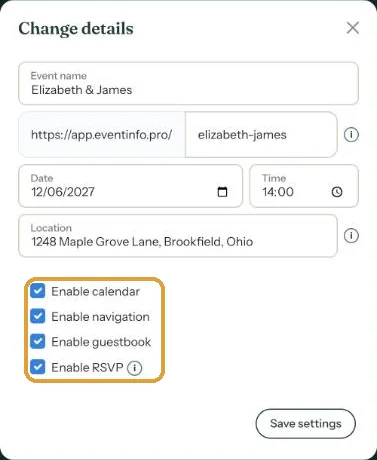
Starting (almost) from scratch? Then you also choose this while creating the invitation, at the question What do you want to include?
What guests fill in
Their name and email address, whether they’re coming and how many people. A personal message is optional. You can see the form in What do guests see when they RSVP?.
With RSVP switched on, your invitation gets its own RSVP button in the dashboard. That’s where all the replies are.
Replies arrive once you activate
Until your invitation is activated, nobody can send the form. Anyone who tries sees Not available in preview mode. Want to test it yourself? Do it after activating, then delete your test reply (Edit or delete an RSVP).
Next step: What do guests see when they RSVP?
Last updated: October 23, 2026