Keep your guestbook
You download all messages and photos from the menu on the guestbook page. There are three downloads, and you can use all three.
How to download
- In your dashboard, click Guestbook next to your invitation.
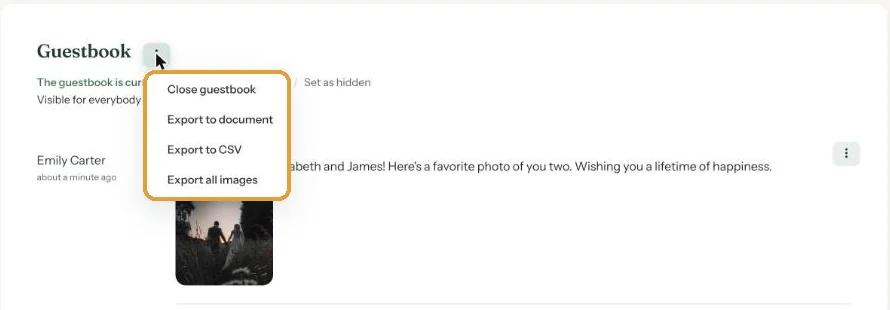
- Click the menu (the three dots) next to the Guestbook heading.
- Choose what you’d like to download.
Which download?
- Export to document. A Word file (.doc) with every message in order: name, email address, date and time, the text and the photos. Good for printing or keeping as a memento.
- Export to CSV. A spreadsheet with one row per message, including name, email address, message, date and links to the photos. Handy if you want to send everyone a thank-you.
- Export all images. A zip file with every photo your guests shared.
Messages you’ve hidden are included in the downloads too.
How long do you have?
Your invitation stays online until 30 days after the event date. The guestbook stays longer: at least a year after the event date, as long as your account is active. Still, download it in good time, especially the photos.
Next step: Edit or delete guestbook messages
Last updated: October 23, 2026