Close the guestbook
No more new messages? Close the guestbook. The button disappears from your invitation, and the messages already there are kept. You might do this a few weeks after the event, once the last messages have come in.
How to close it
- In your dashboard, click Guestbook next to your invitation.
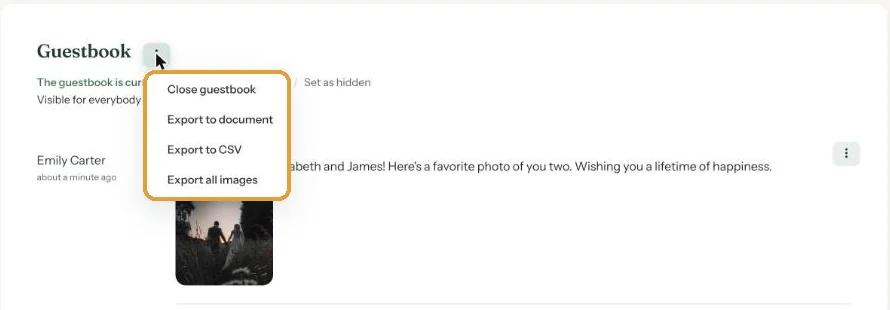
- Click the menu (the three dots) next to the Guestbook heading.
- Choose Close guestbook.
What changes
- Guests no longer see the Guestbook button on your invitation.
- Below the heading of your guestbook page it says The guestbook is currently closed.
- You can still read and download the messages (Keep your guestbook).
Opening it again
In your dashboard, choose Change details from your invitation’s menu. Tick Enable guestbook and click Save settings. The guestbook is open again, set to Public.
Don’t leave that box unticked. If you save Change details while Enable guestbook is unticked, the guestbook is switched off completely and disappears from your dashboard. So download the guestbook before you close it.
Next step: An online condolence book with a funeral notice
Last updated: October 23, 2026