Edit or delete guestbook messages
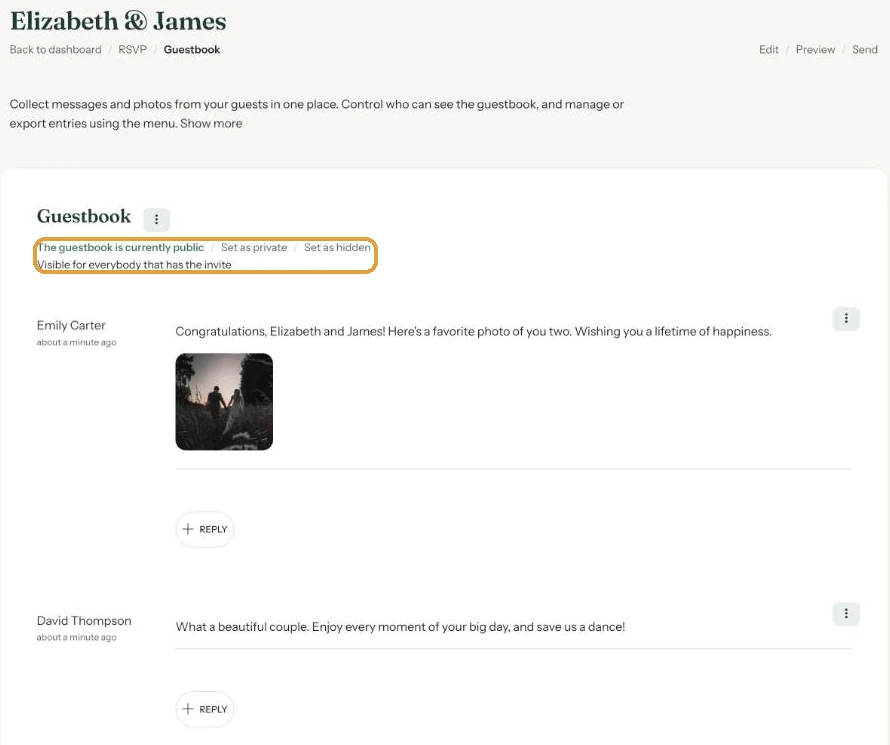
To the right of each message on your guestbook page is a menu (the three dots). Use it to pin a message to the top, edit it, hide it or delete it.
What you can do
- Pin puts the message at the top of the guestbook your guests read. Unpin takes it off again.
- Edit opens the Edit message window, handy for a typo. Then click Save.
- Hide removes the message from your guests’ view; you can still see it. Unhide brings it back.
- Delete removes the message. You confirm first, and there’s no undo.
Replying yourself
Below each message you’ll find reply. Type your answer in the Reply message window and click Save. Your reply appears under the message with your first name, in the guestbook your guests read as well. Want to change it later? Click Edit reply.
Elizabeth and James used this to thank every guest who sent in a photo of the ceremony.
Unsure about a message? Hiding it is usually enough. Deleting is permanent.
Next step: Close the guestbook
Last updated: October 23, 2026