Duplicating an invitation
Duplicate makes a copy of an invitation with the same design and settings. Handy for a second event in the same style, such as a separate invitation for the evening party only.
How to duplicate
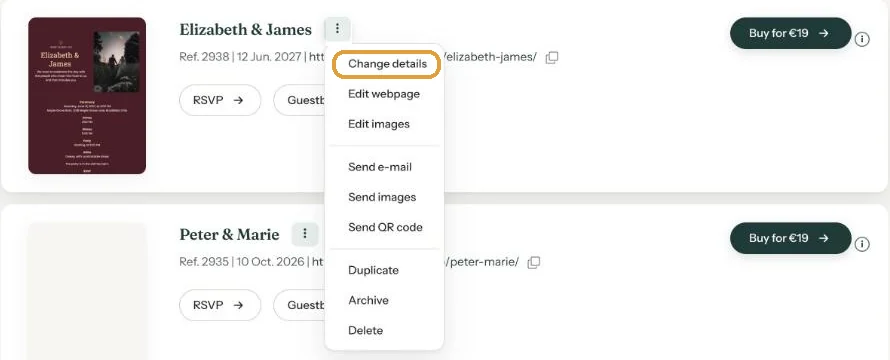
- In your dashboard, click the menu (three dots) next to the invitation and choose Duplicate.
- The copy appears at the top of your dashboard, with “[copy]” before the name and “-copy” after the link.
- On the copy, choose Change details and give it its own name, link and date.
- Adjust the text with Edit webpage.
What comes along, and what doesn’t
- Copied: the design with all its text and the photo, the date, time and location, and which buttons are switched on.
- Not copied: RSVPs and guestbook messages. The copy starts empty.
- Not copied: the activation. The copy is a new invitation: Buy for €19 (price checked on 22-10-2026) or use a credit.
You can also copy an invitation from your Archive, using the menu on that page.
Don’t forget the link. A link with “-copy” in it looks odd to guests. Change it before you share the copy.
Next step: Archive or delete
Last updated: October 23, 2026