WhatsApp or Facebook shows an old image
The invitation itself has been updated: anyone who opens the link sees the new version. What’s out of date is the image or preview sitting in the chat or post.
1. You’re sharing an earlier image
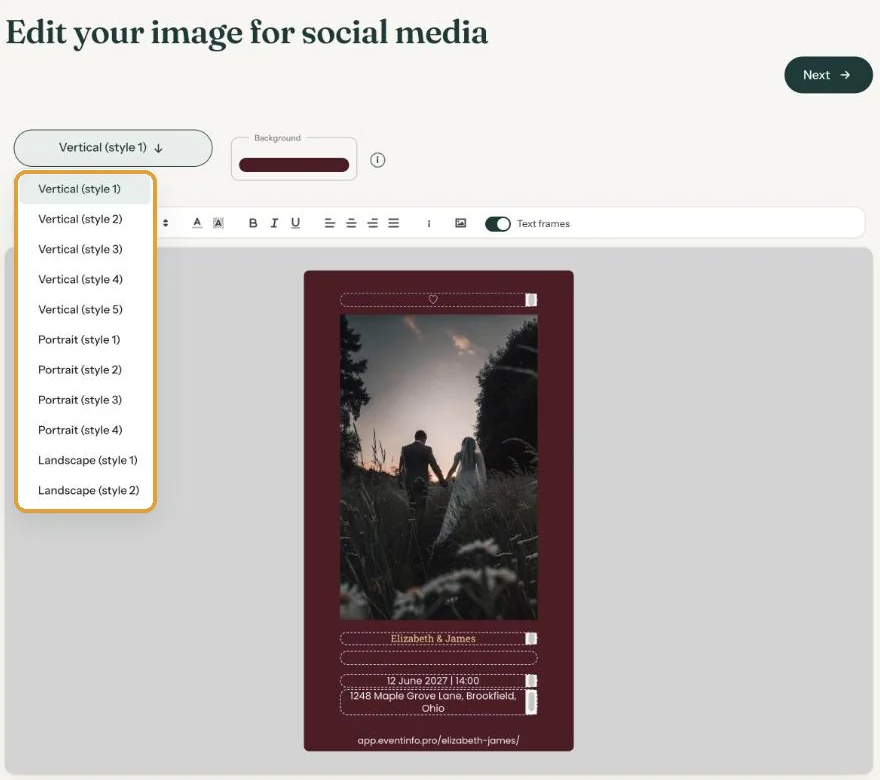
The images from Send images are separate files. If you change the invitation afterwards, those files don’t change with it. Make new ones:
- In your dashboard, open the menu (three dots) next to the invitation and choose Edit images. Check that the images show the new version.
- In the same menu, choose Send images.
- Share the new image together with the link.
2. The app remembers the link preview
WhatsApp and Facebook keep a link preview for a while. If you changed the event name, for example, the old title may still appear.
- Facebook: paste the link into Facebook’s Sharing Debugger (developers.facebook.com/tools/debug) and ask it to scrape the link again. Facebook then shows the new preview.
- WhatsApp: you can’t refresh the preview yourself. Wait a while, or send the new image with the link, as described above.
Old messages don’t change. A preview already in a chat stays as it was. The link inside it still opens the new version.
More about these images in The images for social media.
Last updated: October 23, 2026
- My guests didn't receive the email
- WhatsApp or Facebook shows an old image
- My photo won't upload
- My invitation still shows example details
- Payment failed or invitation not activated
- My invitation looks different on mobile
- Checking your invitation the way guests see it
- The Add to calendar or Directions button doesn't work