Payment failed or invitation not activated
Start with your dashboard. If the invitation still has an Activate button or Buy for €19 (price checked on 22-10-2026), it hasn’t been activated yet. Below are the causes, from most to least likely.
1. You bought credits but haven’t activated yet
A bundle gives you credits. You use one to activate the invitation in a second step: click Activate with 1 credit after paying, or Activate in your dashboard.
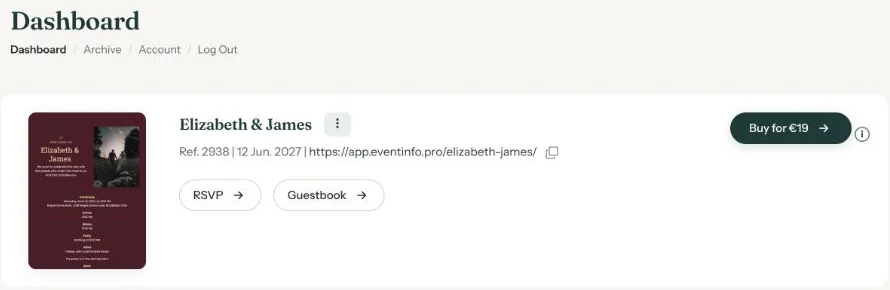
2. The payment was cancelled or failed
If you closed the payment screen, cancelled the payment or it took too long, nothing has been charged and the invitation stays in preview. Click the buy button in your dashboard again and retry, with a different payment method if needed (Payment methods).
3. The payment hasn’t been processed yet
Sometimes the confirmation from the bank takes a moment. Refresh your dashboard after a few minutes.
4. Charged, but still not activated
Email help@eventinfo.pro. Include the reference number (Ref.) shown next to the invitation in your dashboard and when you paid. We’ll look into it for you.
More about activating in Activating your invitation.
Last updated: October 23, 2026
- My guests didn't receive the email
- WhatsApp or Facebook shows an old image
- My photo won't upload
- My invitation still shows example details
- Payment failed or invitation not activated
- My invitation looks different on mobile
- Checking your invitation the way guests see it
- The Add to calendar or Directions button doesn't work