Checking your invitation the way guests see it
Open the link in a private window of your browser. You’re not logged in there, so you see the invitation the way your guests do.
Why it looks different to you
When you’re logged in, a bar only you can see sits at the top, with the buttons Edit and Copy link. If the invitation hasn’t been activated yet, there’s also an Activate button.
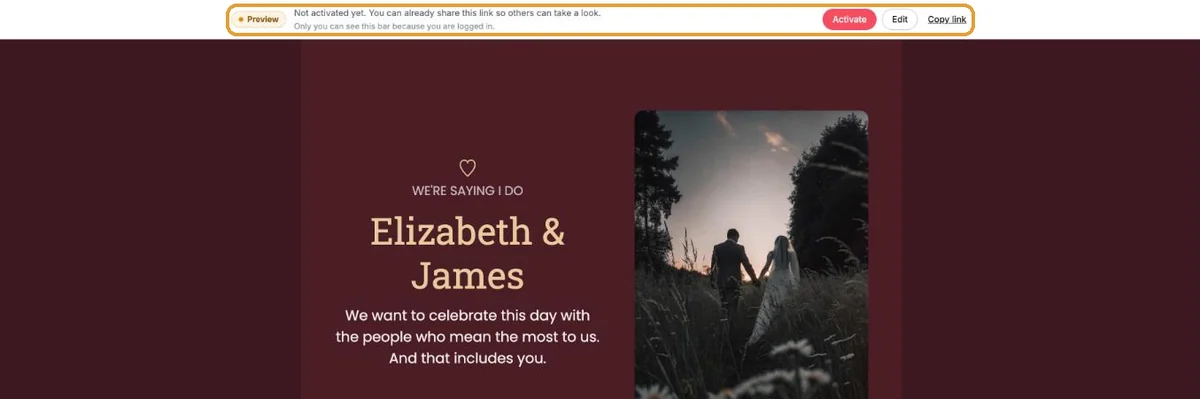
Opening a private window
- Chrome or Edge: Ctrl+Shift+N (Mac: Cmd+Shift+N).
- Firefox: Ctrl+Shift+P (Mac: Cmd+Shift+P). Safari: Cmd+Shift+N.
- On your phone: open a private tab, or open the link in a different browser from the one you’re logged in with.
Paste your invitation link there. You’ll find it in your dashboard, under the name of the invitation.
What guests see before activation
At the top there’s the label Preview – this invitation is not final yet. Guests can’t reply yet: RSVP and guestbook only work after activation. So sharing it for feedback is fine, but only send the link to everyone once you’ve activated.
Next step: Can I take a look before I pay?
Last updated: October 23, 2026
- My guests didn't receive the email
- WhatsApp or Facebook shows an old image
- My photo won't upload
- My invitation still shows example details
- Payment failed or invitation not activated
- My invitation looks different on mobile
- Checking your invitation the way guests see it
- The Add to calendar or Directions button doesn't work